#ad: This post contains affiliate links. As an Amazon Associate I earn from qualifying purchases.
Check current price on Amazon →
Is the 3Doodler Start+ good quality?
For a kids’ pen, yes. Wirecutter tested three kid-safe pens, including with a panel of about 40 children, and picked the Start+ as the best 3D pen for anyone under 12. It loaded and unloaded without problems, made virtually no odor and was much quieter than the advanced pens they tested. The Toy Insider also praised its safety standby mode and cordless design.
It is not a precision tool. Its lines are less clean than adult pens, and you can’t swap tips or adjust temperature.
How do you use it?
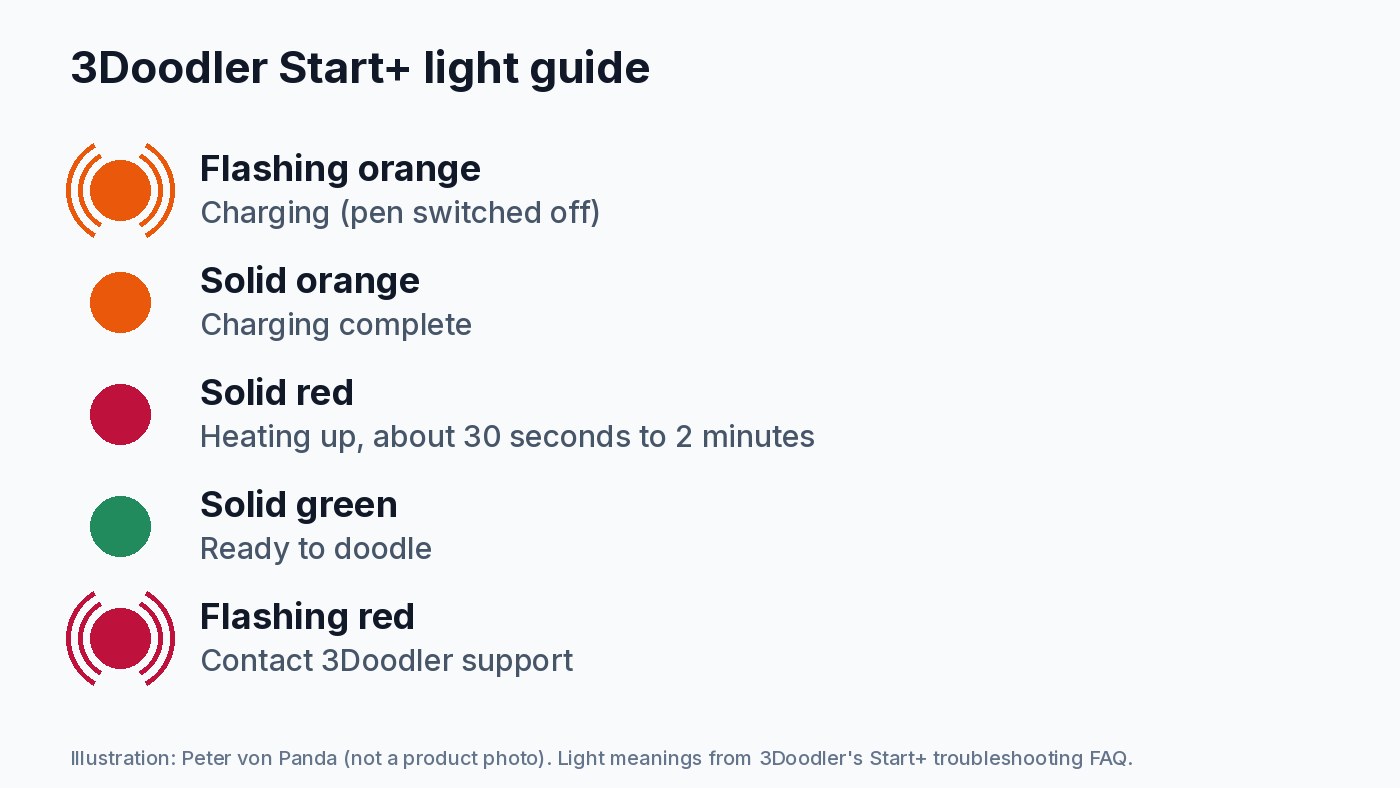
Illustration: Peter von Panda (not a product photo). Light meanings from 3Doodler’s Start+ FAQ.
Charge it with the pen switched off. 3Doodler says the light flashes orange while charging and turns solid orange when done, which takes about 30 minutes to an hour. Slide the switch on, wait for the light to go from solid red to solid green (about 30 seconds, up to two minutes), push a strand into the back and start drawing.
Kids can trace the stencils in the activity guide on the DoodlePad, then peel the pieces off and join them into 3D shapes. 3Doodler says Start+ plastic can even be drawn on skin.
How well does it work?
It works, but it takes patience. Wirecutter found the low-temperature plastic has a clay-like texture and takes longer to set, so kids need to move slowly and let lines dry before drawing over them. Drawing straight up into the air was much harder with kid-safe pens. Still, the kids at Wirecutter’s test overwhelmingly preferred the Start+.
What is the biggest complaint? Slow lines and pricey refills
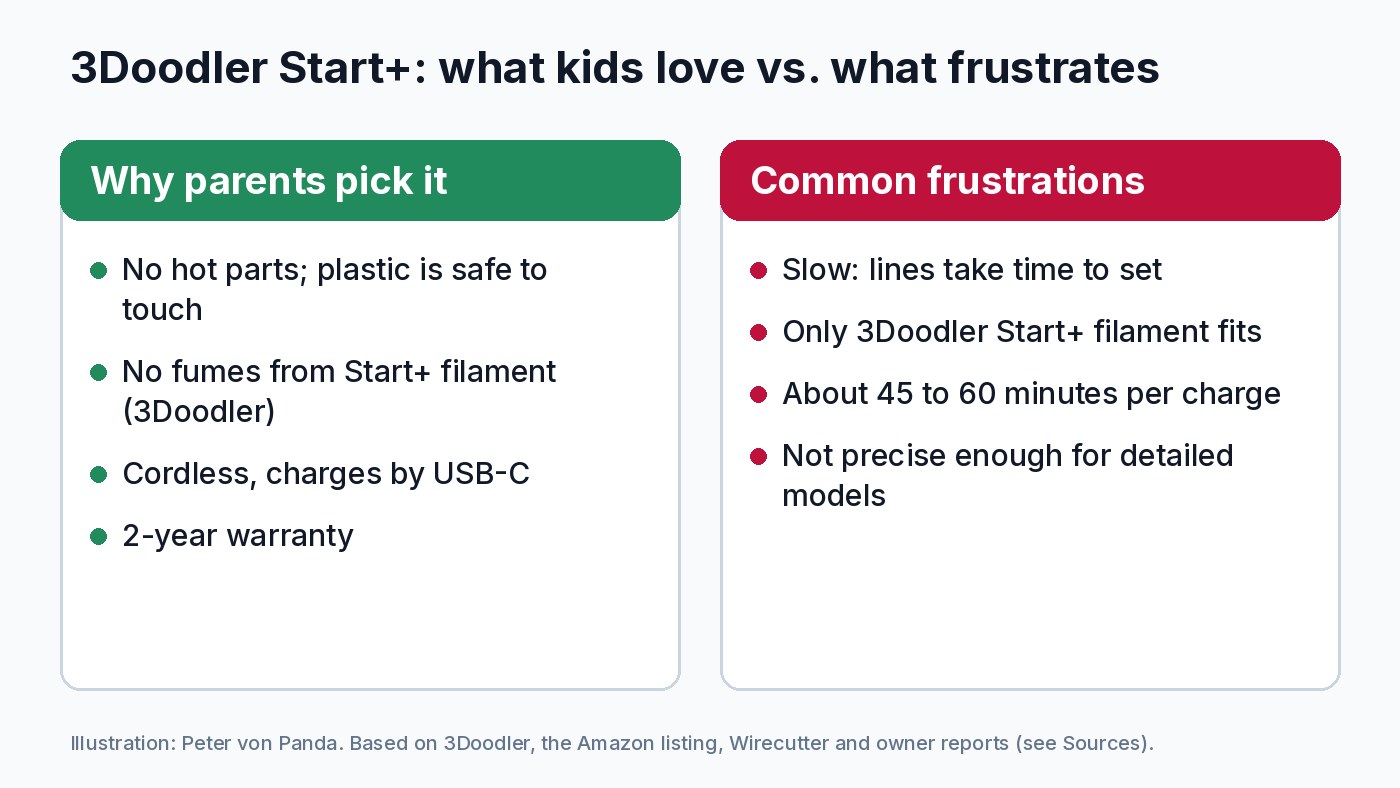
Illustration: Peter von Panda (not a product photo). Based on 3Doodler, the Amazon listing, Wirecutter and owner reports.
Speed and filament. Wirecutter calls it the slowest pen they tested, and a Slovak reviewer who tested it with his daughter listed battery life, long charging, pricey refills and occasional jams as the main downsides. The pen only accepts 3Doodler Start+ filament, so you can’t use cheap 3D printer filament. An r/3dpens user called the Start+ “a novelty for kids” for that reason.
The starter strands go fast. Reviewers recommend buying a refill pack along with the pen.
How long does it last?
3Doodler backs the Start+ with a two-year warranty. If the light flashes red, its FAQ says to contact customer service. Using third-party filament voids the warranty, so stick with Start+ strands. Some owners online report jams and failed pens from 3Doodler’s line, so keep your receipt.
Who should buy it, and who should skip it?
- Good for: kids about 6 to 12, classrooms, crafty kids who like to touch and shape what they make, and parents who want no hot tip.
- Skip if: the user is a teen or adult, wants fine detail or speed, or you don’t want to keep buying brand-specific refills.
What are the best alternatives?
3Doodler Create+
3Doodler’s pen for ages 14 and up, using hotter PLA and ABS plastic for cleaner, faster lines. Pick it for teens, but note it has a hot tip.
3Doodler Flow
Takes standard 1.75 mm PLA or ABS filament, including third-party brands, per 3Doodler. Pick it to avoid proprietary refills for an older user.
MYNT3D Professional
A hot-tip pen that comparison guides such as GiftWrapper’s recommend for teens and adults. Pick it for older makers, not young kids.
More quick answers
Is the 3Doodler Start+ safe for kids?
3Doodler says it has no external hot parts and the Start+ filament is safe to touch, and Wirecutter confirmed the tip and fresh plastic were safe to touch. Adult supervision is still wise for young kids.
Can you use other filament in the 3Doodler Start+?
No. It only works with 3Doodler Start+ Eco-Filament, and 3Doodler says third-party filament voids the warranty.
How long does the 3Doodler Start+ battery last?
About 45 to 60 minutes per charge, per the listing, and it can keep running while plugged in by USB-C.
What age is the 3Doodler Start+ for?
3Doodler says ages 6 and up, and best for kids 6 to 13.
Check current price on Amazon →
- Amazon listing B086JQQHPK (features, Q&A, rating)
- 3Doodler FAQs (filament, safety, Start+ troubleshooting)
- Wirecutter: The best 3D pens (Start+ best for kids under 12)
- The Toy Insider: 3Doodler Start+ Essentials review
- Gamesite.sk: 3Doodler Start+ review (Slovak)
- GiftWrapper: 3Doodler Start vs MYNT3D and 3Doodler Create
- r/3dpens: owner experience with 3Doodler pens
This is a buyer’s guide pulled together from the manufacturer’s specs, the Amazon listing and independent reviews. Peter has not personally tested this product.