#ad: This post contains affiliate links. As an Amazon Associate I earn from qualifying purchases.
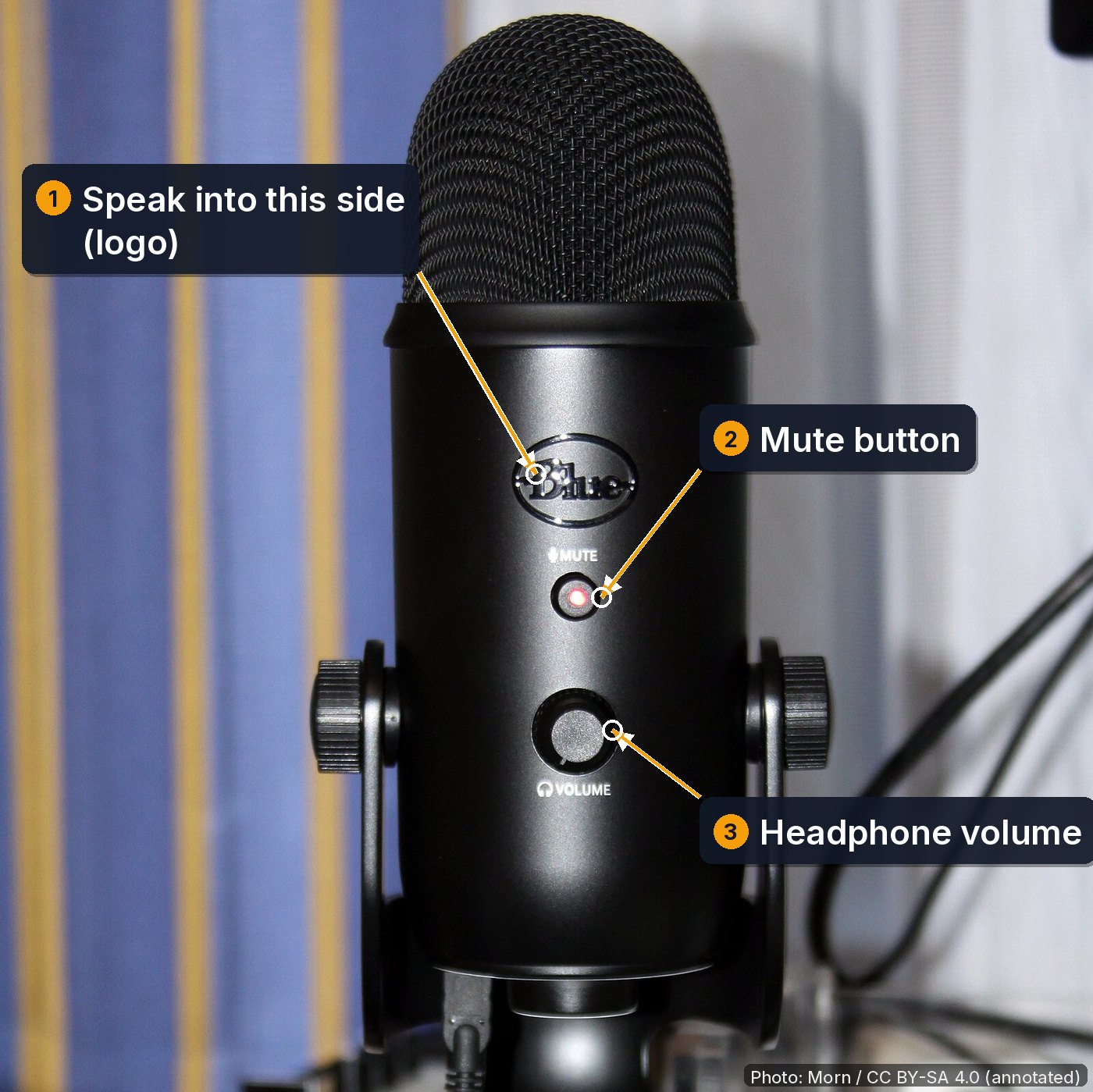
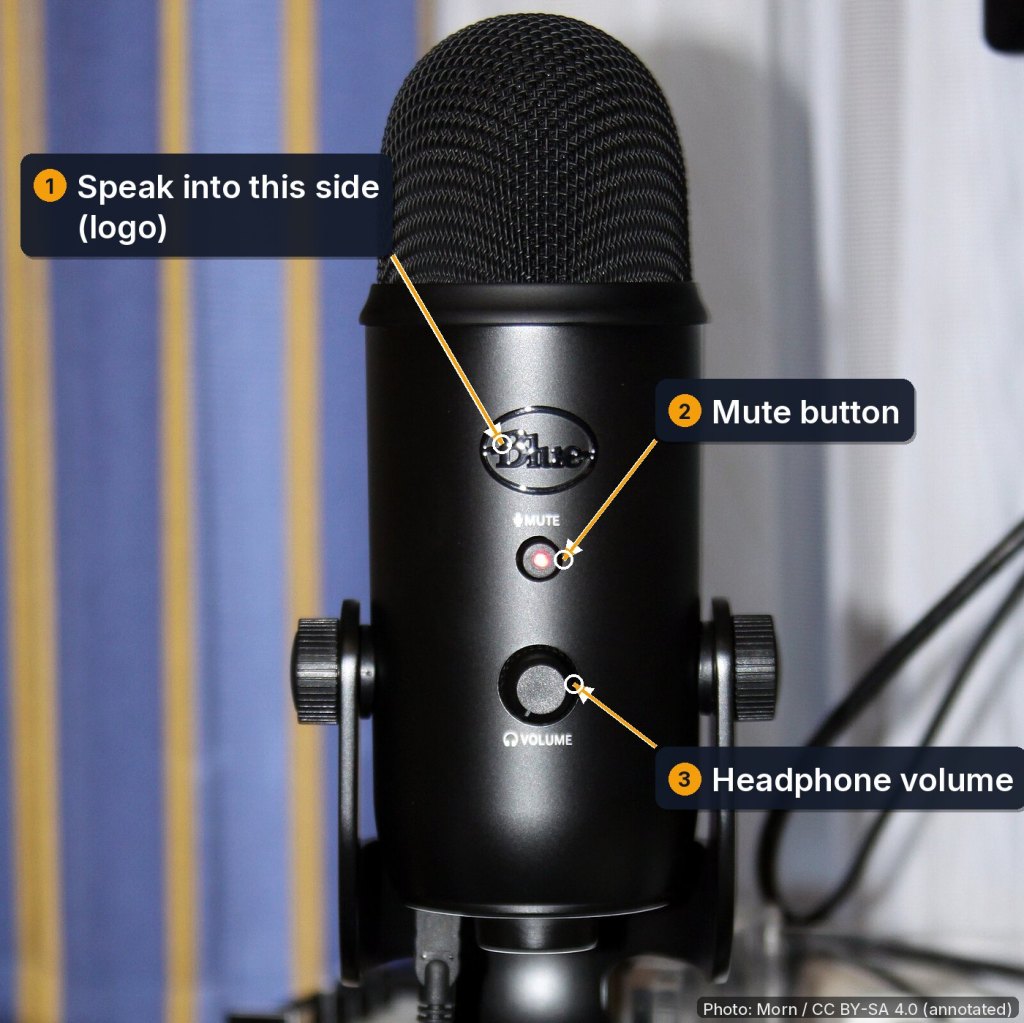
Photo: Morn, CC BY-SA 4.0, via Wikimedia Commons; cropped and annotated by Peter von Panda, shared under CC BY-SA 4.0.
Check current price on Amazon →
Is the Blue Yeti good quality?
Yes. It has a metal body and a heavy stand, and Amazon’s review summary says buyers find it well built, easy to set up and good-sounding. PC Gamer’s Morgan Park wrote in November 2026 that the design has barely changed since 2009 and that his Yeti, used for about a decade, is “the longest-lasting gadget on my desk.”
How do you set it up?
Plug it into your computer with the included USB cable; Logitech says no drivers are needed. The most common mistake: it’s a side-address mic. Blue’s own tip is to speak into the side, not the top. That’s the front with the logo, mute button and headphone knob.
TunedMic recommends cardioid mode, logo facing you, about 10 to 20 cm away, with gain set by watching the meter instead of guessing. Install G HUB if you want the Blue VO!CE EQ, limiter and de-popper.
How good does it sound?
Close up in a quiet room, reviewers describe clear, detailed voice audio. Galido calls it still worth it for most people who want one USB mic for podcasts, calls and streaming. Stream Tech Reviews hears a very treble-heavy tone with harsh S sounds out of the box, which EQ or a de-esser can tame.
What is the biggest complaint? It picks up everything
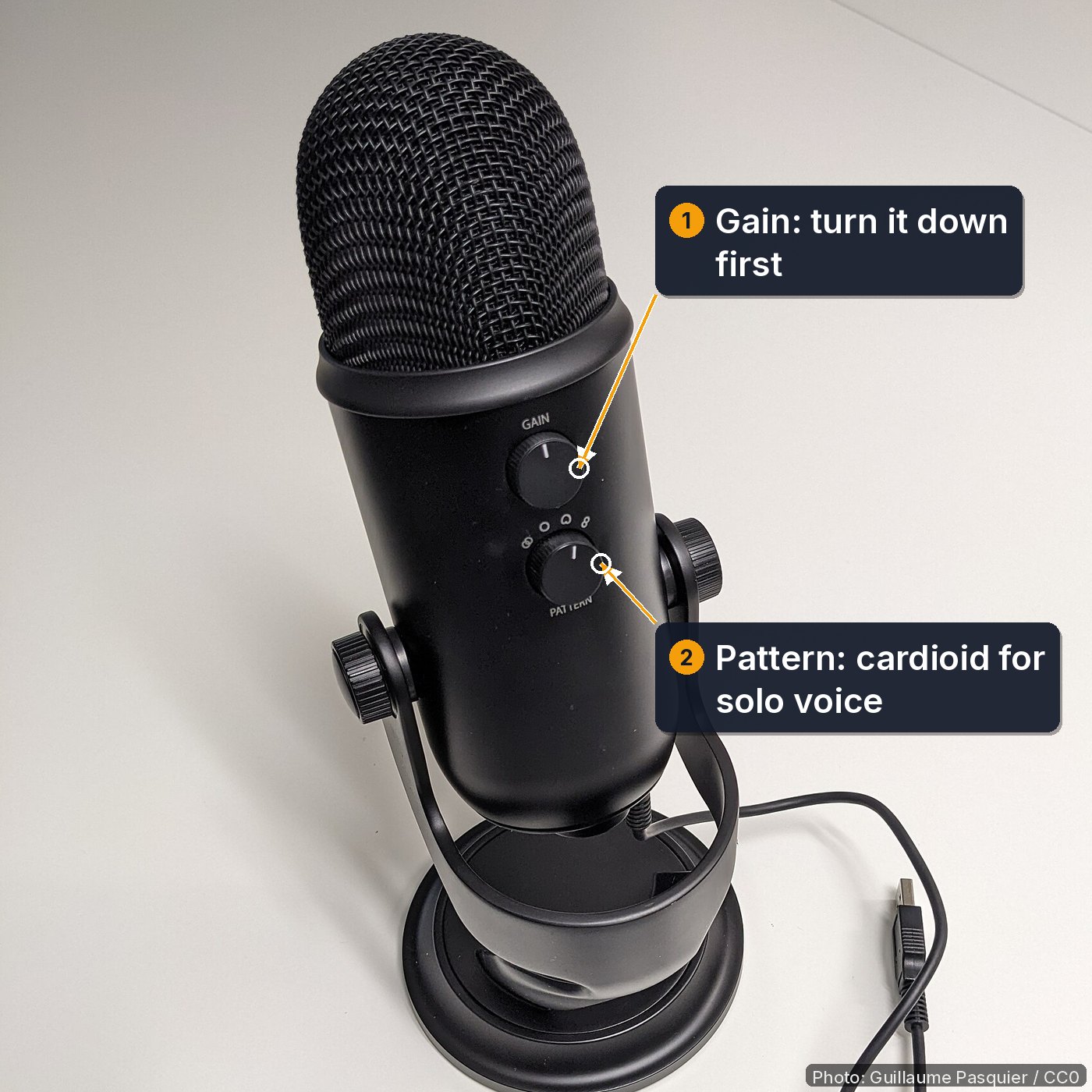
Photo: Guillaume Pasquier, CC0, via Wikimedia Commons; cropped and annotated by Peter von Panda.
Background noise. TunedMic explains that a sensitive condenser hears the whole room, and that your voice drops by about 6 dB every time you double the distance, so a mic left at the back of the desk records more keyboard and room. On r/podcasting, a new podcaster says their Yeti picks up “EVERYTHING.”
Fixes: use cardioid, get within a hand’s width or two, turn gain down, move it to a boom arm away from the keyboard, and turn on noise suppression in apps like Discord, as PC Gamer suggests. In a loud room, a dynamic mic is the better tool.
How long does it last?
Many last for years; PC Gamer’s has lasted about a decade. Still, Amazon’s review summary says durability feedback is mixed, with some buyers reporting failures within about four months. The 2-year warranty covers early failures, so keep your receipt.
Who should buy it, and who should skip it?
- Good for: solo creators, remote workers, gamers in a quiet room, two people across a table (bidirectional), and stereo recording of instruments or ambience.
- Skip if: your room is noisy or echoey, you type a lot while talking, desk space is tight, or you want to plug into an audio interface later.
What are the best alternatives?
Logitech G Yeti 2
Stream Tech Reviews says it sounds nearly the same but adds a small screen, auto gain, USB-C and a cleaner mount, with a plastic body. Pick it if you’re buying new and want the extra features.
HyperX SoloCast 2
TechsNGames says it’s enough for many solo gamers at a lower cost. Pick it for Discord and game chat only.
A USB dynamic mic, like the FIFINE AmpliGame AM8
TunedMic says a dynamic or single-pattern mic usually handles desk calls in an ordinary room with less fuss. The AM8 also has XLR. Pick one if room noise is your main problem.
More quick answers
Which side of the Blue Yeti do you talk into?
The front side with the logo, not the top. Blue calls it a side-address mic.
Does the Blue Yeti need drivers?
No. Logitech says it is plug and play over USB on Mac and PC. G HUB is optional, for Blue VO!CE effects.
What is the best Blue Yeti setting for one voice?
Cardioid mode with the logo facing you, about 10 to 20 cm away, per TunedMic.
Can you put a Blue Yeti on a boom arm?
Yes. Logitech says you can remove the desktop stand and mount it on a boom arm.
Check current price on Amazon →
- Amazon listing B00N1YPXW2 (features, rating, review summary, warranty)
- Logitech G: Yeti product page
- Blue Microphones on X: Yeti is a side-address mic
- TunedMic: Is the Blue Yeti still worth buying?
- TunedMic: Best Blue Yeti settings for voice
- PC Gamer: The canonical USB microphone is still great (Nov 27, 2026)
- Galido: Blue Yeti review
- Stream Tech Reviews: Logitech G Yeti 2, worth the upgrade?
- TechsNGames: Blue Yeti review
- Amazon Best Sellers in Musical Instruments (FIFINE AmpliGame AM8 USB/XLR dynamic mic listing)
- r/podcasting: Blue Yeti advice
This is a buyer’s guide pulled together from the manufacturer’s specs, the Amazon listing and independent reviews. Peter has not personally tested this product.