#ad: This post contains affiliate links. As an Amazon Associate I earn from qualifying purchases.
Check current price on Amazon →
Is the Kodak Dock Plus good quality?
For a small home photo printer, mostly yes. T3 calls it one of the best in the business for phone photo prints and notes its 4×6 size is bigger than many rivals. ChoiceCheck’s tester touched a print the second it came out and saw no smudge. Amazon’s review summary says buyers find it easy to set up and good value, but print quality and functionality get mixed reviews.
How do you set it up and print?
Plug it in, install the Kodak Photo Printer app, and either dock your phone on the USB-C connector (the Lightning adapter covers older iPhones) or connect over Bluetooth. Edit, crop or add frames in the app and print. NGXP Tech suggests turning Bluetooth on before opening the app to avoid connection snags. Kodak’s FAQ says there’s no computer printing: move the photo to your phone first.
How good do the prints look?
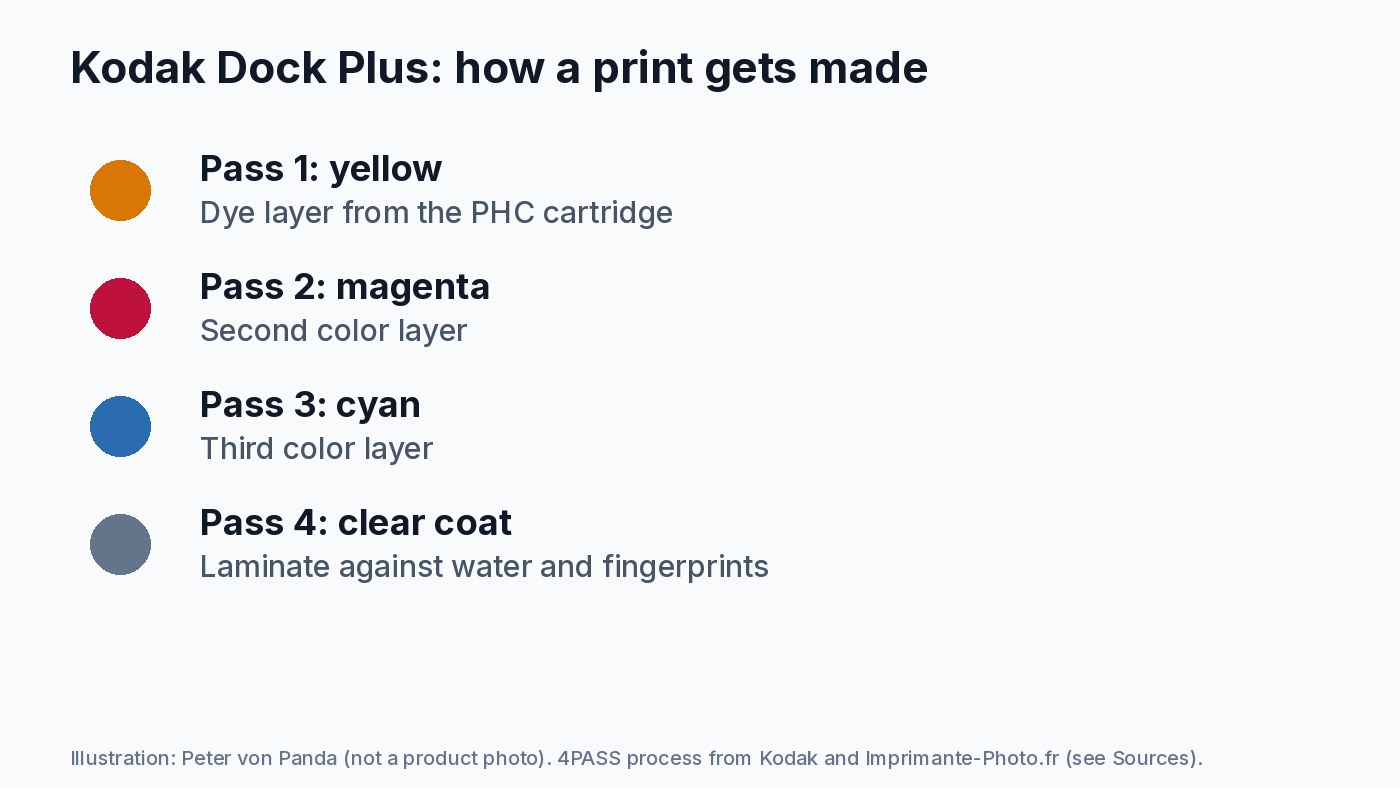
Illustration: Peter von Panda (not a product photo). 4PASS process from Kodak and Imprimante-Photo.fr.
Dye sublimation gives smooth, continuous-tone prints rather than inkjet dots. TrueGear says Kodak’s output trends warm next to Canon’s more neutral SELPHY, and that handling durability is excellent on both. Some buyers say prints come out darker or lighter than on screen; a reviewer on Kodak’s site says the app’s color adjustments fix that, and a German review roundup of Amazon feedback says some owners adjust each print.
What is the biggest complaint? Reliability and blurry prints
Amazon’s review summary says some buyers report the printer stops working or makes blurry photos, and some say the phone adapter broke after about 10 uses. A Reddit r/photography owner asked whether blurry prints were normal, and r/printers threads describe failures after only a few prints. One buyer on Kodak’s own store said the rollers stopped grabbing paper. Keep your receipt for Kodak’s one-year warranty.
How long does it last, and what about paper?
Kodak backs it for one year. Paper and color come only from Kodak cartridges, which TrueGear lists as an owner complaint, and a few buyers on Kodak’s site said refills were hard to find. Buying larger cartridge packs lowers the cost per print, per NGXP Tech and ChoiceCheck.
Who should buy it, and who should skip it?
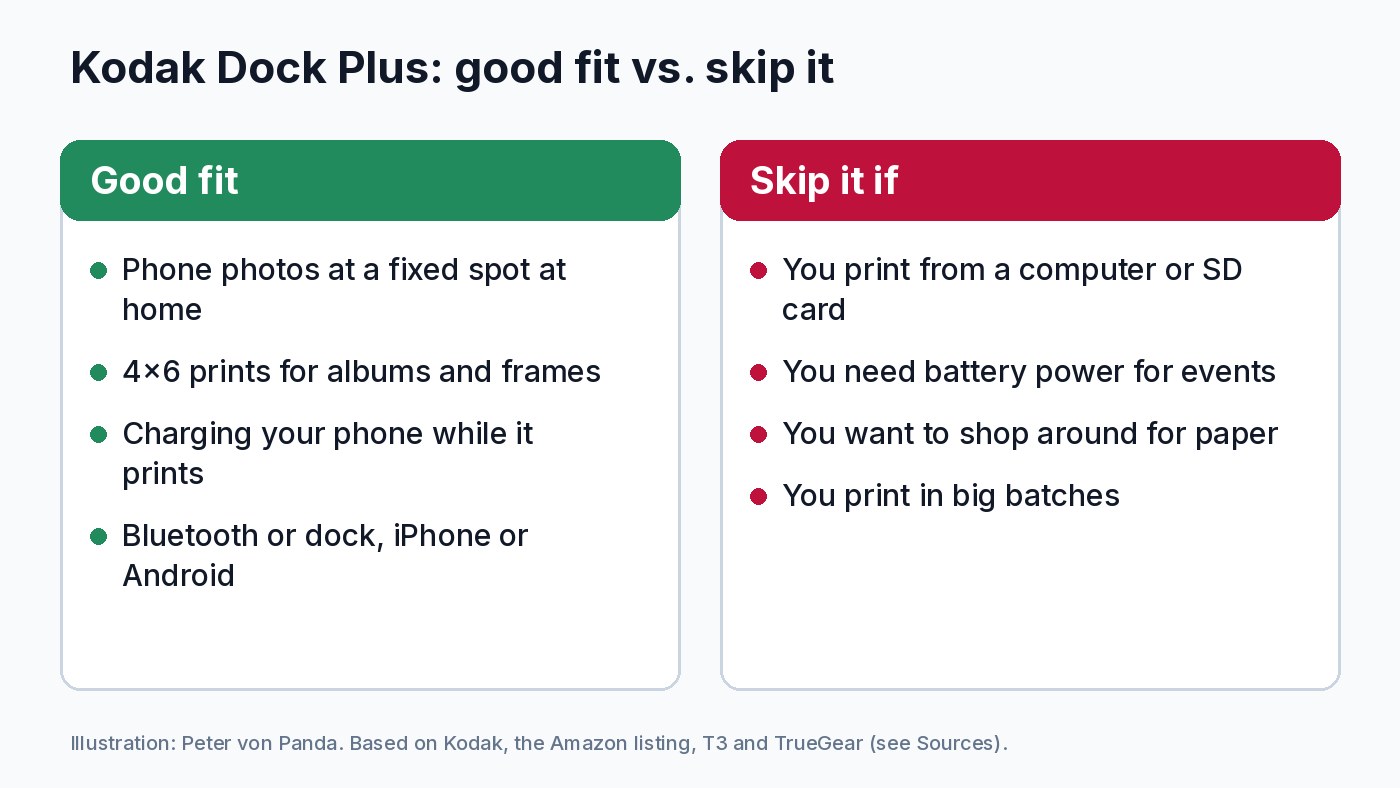
Illustration: Peter von Panda (not a product photo). Based on Kodak, the Amazon listing, T3 and TrueGear.
- Good for: families printing phone photos for albums, frames, scrapbooks or classrooms, and gift-givers who want something easy.
- Skip if: you print from a camera card or computer, want to print away from an outlet, or need larger prints.
What are the best alternatives?
Canon SELPHY CP1500
Adds Wi-Fi, an SD card slot and an optional battery, per TrueGear, with wider paper availability. Pick it if you print from a camera or at events.
HP Sprocket Studio Plus
Another 4×6 dye-sub printer with Bluetooth and Wi-Fi, per NGXP Tech’s comparison. Pick it if you prefer HP’s app and don’t need a dock.
Liene M100
A Wi-Fi 4×6 dye-sublimation printer that also ranks in Amazon’s Office top sellers. Pick it if you want Wi-Fi printing instead of a dock. For another family gadget, see our Skylight Calendar 2 guide.
More quick answers
Can the Kodak Dock Plus print from a computer?
No. Kodak says it works through the phone app; transfer computer photos to your phone first.
Does the Kodak Dock Plus need ink?
Not separately. Kodak’s 4PASS cartridges include the ink ribbon and paper together.
Does it work with iPhone and Android?
Yes, through Bluetooth or the USB-C dock, with a Lightning adapter included.
How long does one print take?
About 55 seconds per 4×6 photo, per the Amazon listing.
Check current price on Amazon →
- Amazon listing B088PRX3BD (features, specs, rating, review summary)
- Kodak Photo Printer: Dock Plus PD460 (specs, warranty, FAQ, buyer reviews)
- T3: Should I buy the Kodak PD460 photo printer?
- TrueGear: Canon SELPHY CP1500 vs Kodak Dock Plus
- ChoiceCheck: Kodak Dock Plus review
- NGXP Tech: Kodak Dock Plus review
- Imprimante-Photo.fr: Kodak Dock Plus PD460 review (French)
- WLAN Drucker: Kodak PD460 roundup (German)
- r/photography: Printing quality of Kodak Dock Plus
- r/printers: Kodak dock printer repair
This is a buyer’s guide pulled together from the manufacturer’s specs, the Amazon listing and independent reviews. Peter has not personally tested this product.